
9 Campus Upload Area
REQUIRED READING
- Sharepoint: Campus Upload Area
- Location: On the NSCC Student Association Sharepoint, the Campus Upload Area section is located on the lefthand toolbar. It is the fourth tab from the top.
In this section, you will find folders specific to each campus.
- Within each campus folder are additional folders for executive deliverables or Student Association business and your current year.
- This is where Executives should upload any documentation pertaining to their position that they have generated.
- All uploads can be viewed by Student Life, current executives, SA Advisors, as well as future student leaders.
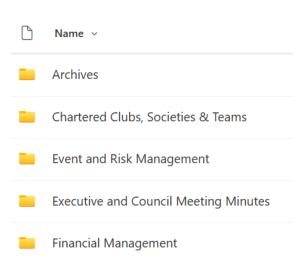 Most Campus Upload Area folders should include the following folders:
- Archives
- Chartered Clubs, Societies & Teams
- Even and Risk Management
- Executive and Council Meeting Minutes
- Financial Management
Some campuses will have more folders specific to positions that have been created by past executives to house their documents.
It is important to note that when sharing documents with Student Life as per your monthly checklist, the folders checked are the folders listed in the image above.
Required Documents to Upload
For each position there is at least one specific document you should be uploading upon finalizing.
*VP Finance documents are live edited rather than uploaded.
| President | President’s Project Outline |
| VP Finance | Financial Management* & Bank Reconciliations* (monthly) |
| VP Activities | Teams Charter Form 1 & Form 2 |
| VP Services | Clubs & Societies Charter Form 1 & Form 2 |
| VP Communications | Students’ Council Meeting Minutes (monthly) |
Finding the Right Folder
Please ensure you are uploading your documents to the correct folder. In order to find the correct folder, follow this general guideline:
Campus Upload Area > Your Campus > Your Document (see below) > Your Year
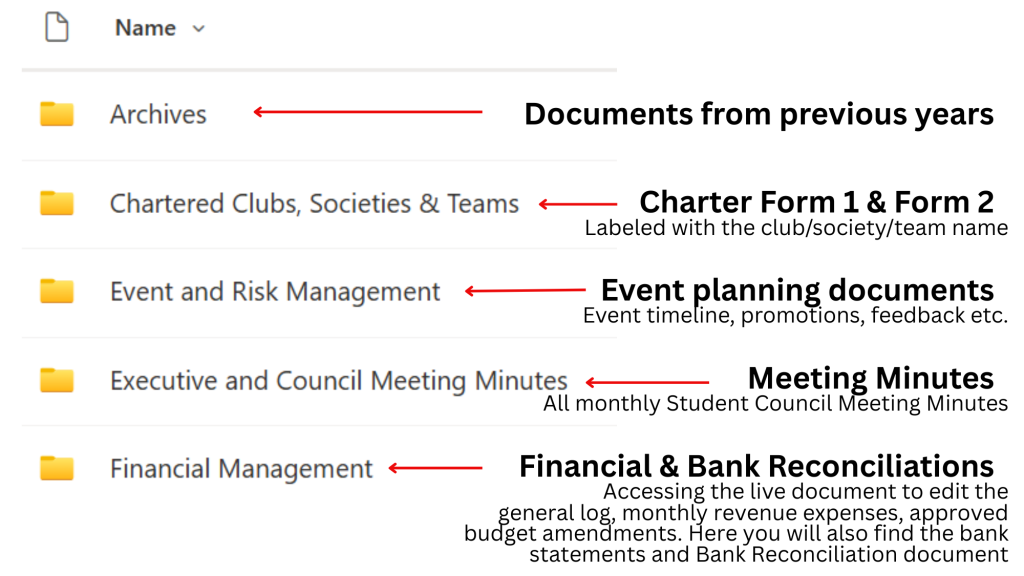
- Archives: Documents from previous years
- Place upload Charter Forms 1 & 2, labelled with the club/society/team name into the Chartered Clubs, Societies & Teams Folder.
- Please upload event planning documents such as the event timeline, promotions, feedback etc. into the Event & Risk Management folder.
- Please upload all monthly Students’ Council Meeting Minutes into the Executive and Council Meeting Minutes Folder.
- In the Financial Management folder, you can access the live documents to edit the general log, monthly revenue expenses, approved budget amendments. Here you will also find the bank statements and Bank Reconciliation document.
If you have any questions or trouble finding the right folder, please connect with your Student Life Assistant the first time.